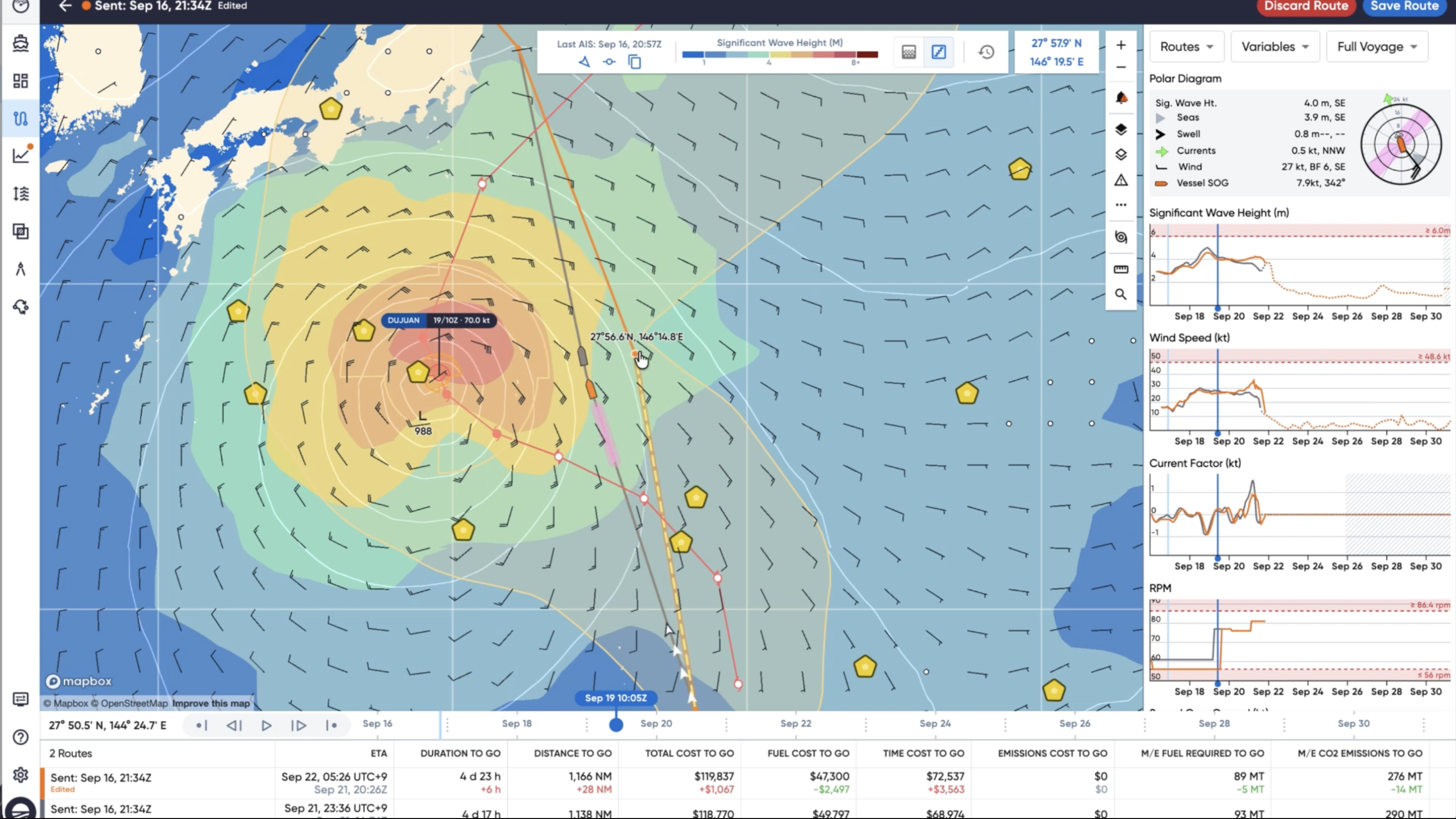
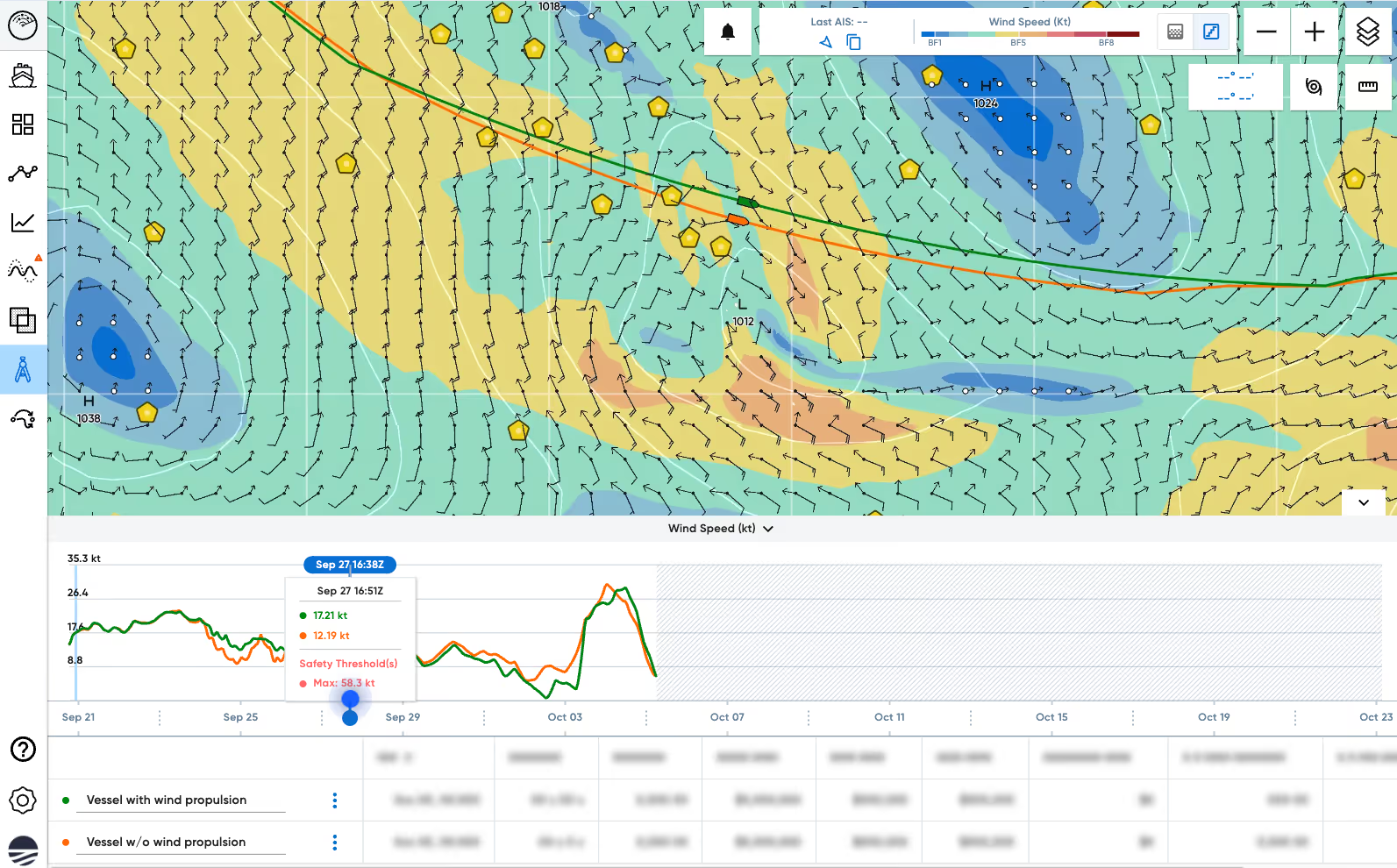
This month, Sofar launched Wayfinder Explore, a suite of new features that lets you make your own routing decisions based on our optimization engine. One of these new features is instant route simulation. For the first time, operators and captains can decide where a route goes and how hard the engine works at each step along the way. Every change instantly updates the route's cost, duration, and the weather the ship will face, based on the current forecast and the performance model for their specific vessel.
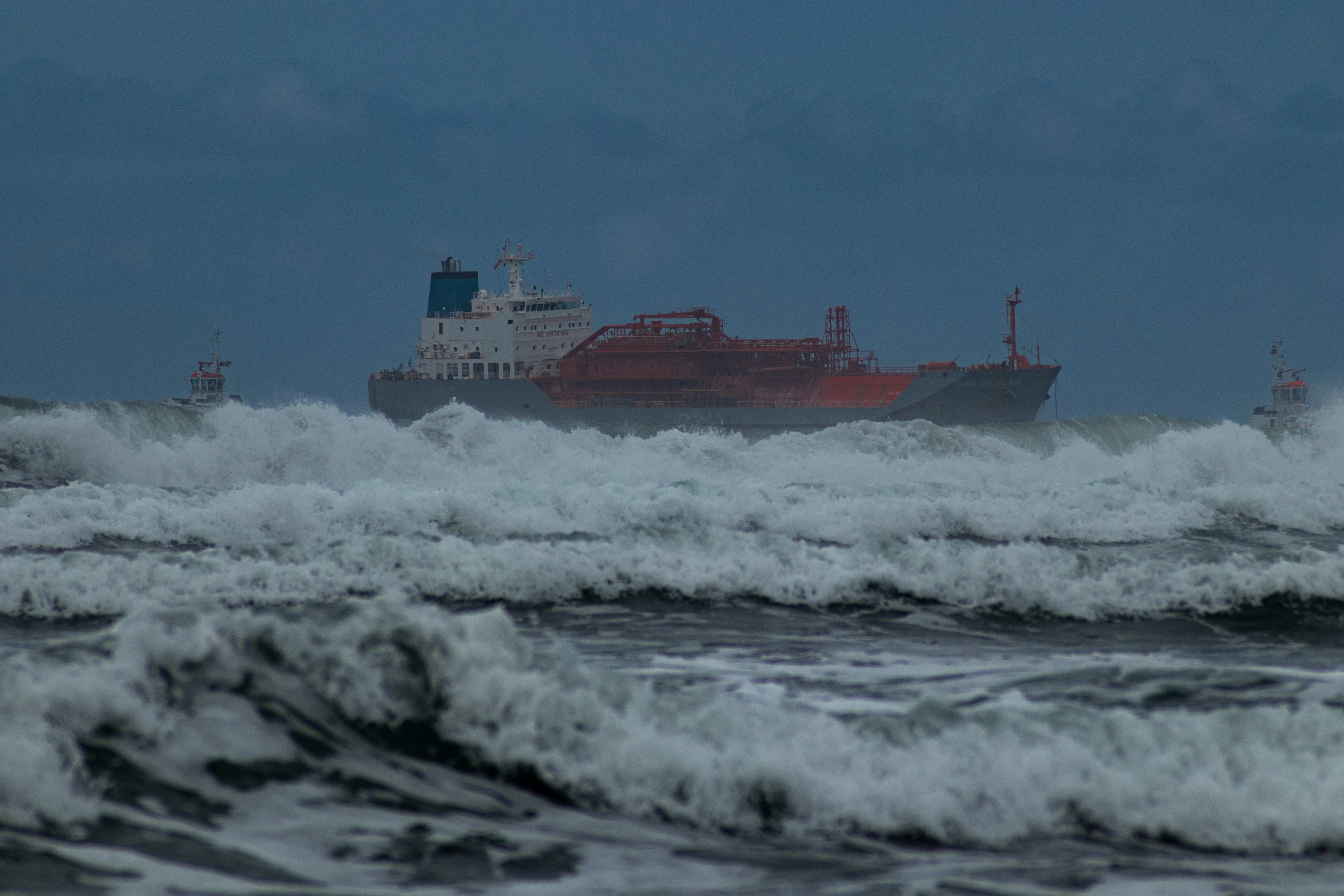
An ECDIS system allows a captain to edit waypoints and set speeds along a route. Thinking about a route in terms of the speed a vessel should travel raises the question “How do we achieve that speed?” A single RPM can result in a speed of 13 knots in fair weather but only 10 knots in heavier seas. Speed is the outcome of how your engine is operating under current weather conditions.
Instant route simulation allows Wayfinder users to start with the engine control they want to sail at every point along their route. Every time you add or move a waypoint, set an engine control, set a drift point or make any other change, your route will simulate and show updated costs, time and distance to go, the speeds your vessel will reach, and what the weather will be like at each point along your route. You can also compare your changes to your active route to see if the new route is an improvement or not.
Instant route simulation is built on top of the same engine Sofar uses to provide daily guidance to customers and Wayfinder uses to power the Voyage Simulator. The simulation engine was originally written in Rust, but browsers can't run Rust directly, so we compile the engine to WebAssembly (WASM), a format browsers can run alongside their own code. Having the engine directly in the browser allows us to run simulations in milliseconds instead of waiting minutes for a response from the server.
There are two main differences between instant route simulation and the existing Voyage Simulator and each required a different approach to solve.
Since you can now simulate routes even mid-voyage, we needed to know when to start simulating. Instant route simulation starts from your vessel’s projected position at the time you begin editing. Without this, the engine would simulate the part of the voyage you've already completed using today's forecast, which can differ from the weather the ship actually met, and every number from there to arrival would shift with it. By accounting for the already sailed portion of the route, the simulation only tallies up distance and duration to go and costs from where you are at this moment, giving more accurate totals.
The WASM simulation engine accepts a list of engine instructions which tell it what we want the vessel to do at every waypoint. With the Voyage Simulator, we simply passed in a single engine control value, whatever the user set in the UI, and that value was duplicated and applied to each waypoint. To allow the more fine-grained engine controls used in instant route simulation, we instead have to build up an engine control plan, waypoint by waypoint.
If your route has gone through Sofar’s daily guidance, it will have engine controls on it already. We pull these controls from the route and use them for the first simulation.
If your route does not have engine controls, we will instead simulate directly by speed. This brings us back around to the original problem that speed is an output of engine and weather conditions. Maintaining a roughly constant speed, regardless of weather conditions, means the RPM necessary to maintain that speed will always be in flux. So how do we provide a daily guidance number? The answer is to average out the many different engine control changes over the course of a day, weighting each one by how far the ship travelled at it. A setting held for 200 nautical miles counts for more than one held for 5 nautical miles. The conversion from speed to RPM happens once. After that, the daily RPMs become the route's engine plan, and you can edit it like any other route.
The engine control plans are also now tied to positions, not times. Each waypoint controls the segment of the route from the preceding waypoint up to itself. In other words, when you set an engine control on a waypoint, you are saying “I want the engine to use a specific RPM until I reach this waypoint.” Once we reach that waypoint, the simulation reverts to the control that would have applied to that section of the route before your edit.
The ETA of every waypoint beyond the edited waypoint will change as a result, because your vessel is now sailing at a different speed than before. This presented an interesting challenge. We set daily guidance at the same time every day, generally local noon. These times are independent from the waypoints themselves. Their positions along the route can slide forward and backward as waypoint ETAs change. So what happens if you change an RPM for a section of a route and then a noon guidance point ends up in that section of the route? We know we don’t want to apply a simulated RPM when you’ve explicitly set what RPM you want to sail. Instead, we detect when a guidance falls within a section you’ve set the control for and ensure your control wins out. This can actually happen several times as we suppress simulated guidance in favor of user edits, so we run the simulation in a loop until all the noon suppressions finish and guidance stabilizes.
Instant route simulation is a big change to our route editing functionality. We spent a lot of time thinking about how to make the changes more accessible and understandable for users. To that end, the project also included several UI and UX improvements.
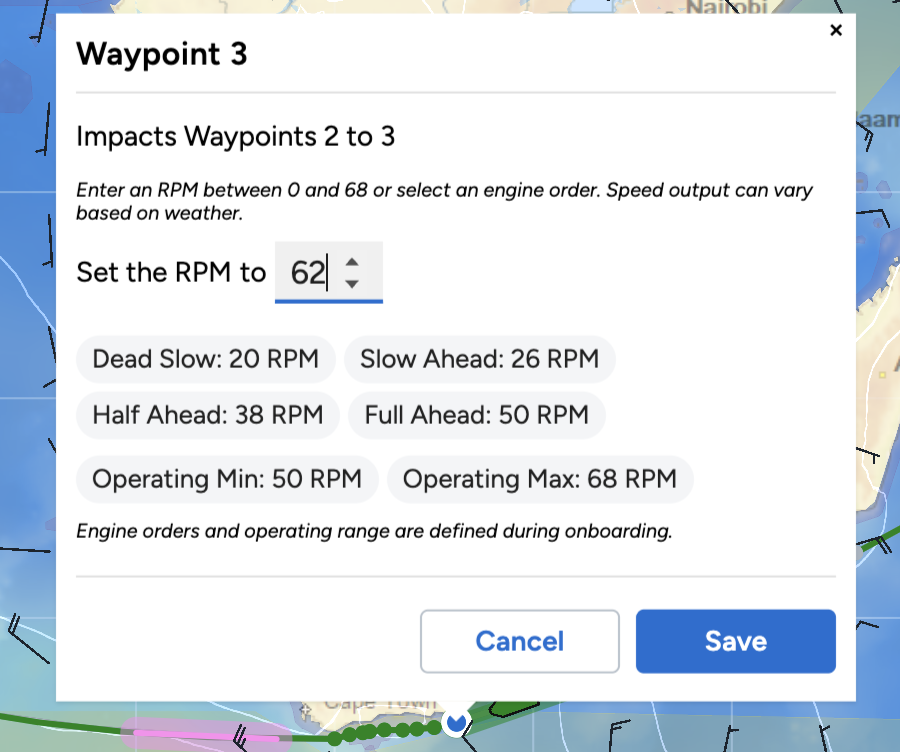
The most obvious change is that waypoint editing is no longer in the waypoint list in the left sidebar. We wanted to make the connection to what you were editing more obvious, so we have moved all waypoint editing into a popup that opens when you select a waypoint in either the list or on the map. This popup has all the same controls you’re used to, plus a new Add RPM control button which lets you set an engine order or custom RPM on any waypoint.
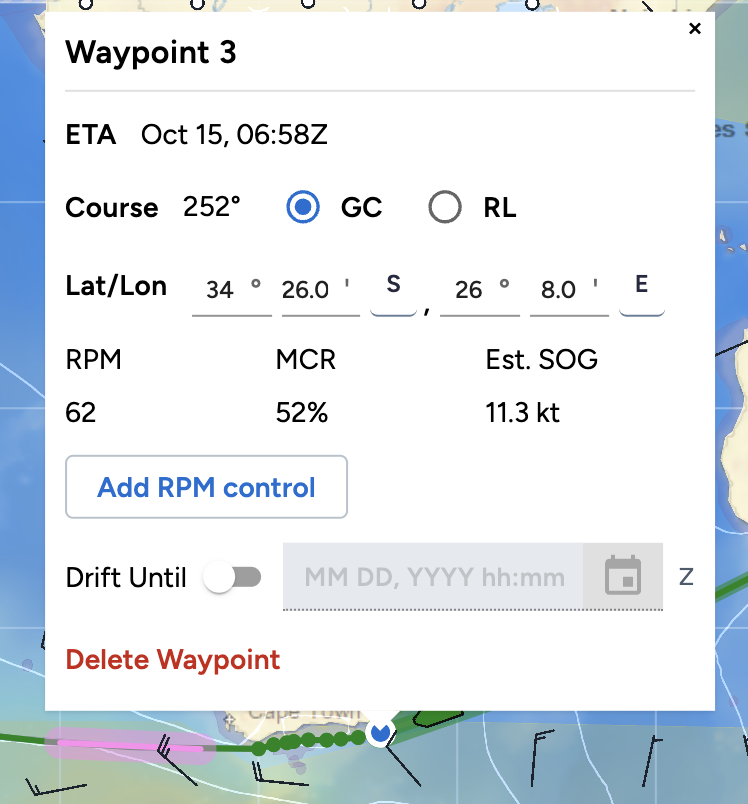
You can also now drag on the map to select multiple waypoints and apply a bulk edit or deletion. To bulk select waypoints, hold the Shift key, click the map and drag your mouse to create a box. When you have selected your waypoints, release the Shift key and mouse button and a bulk waypoint editor popup will open.
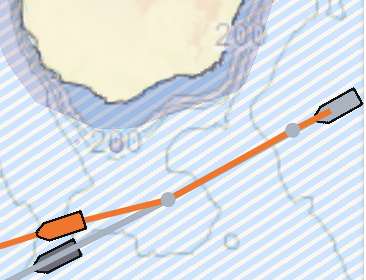
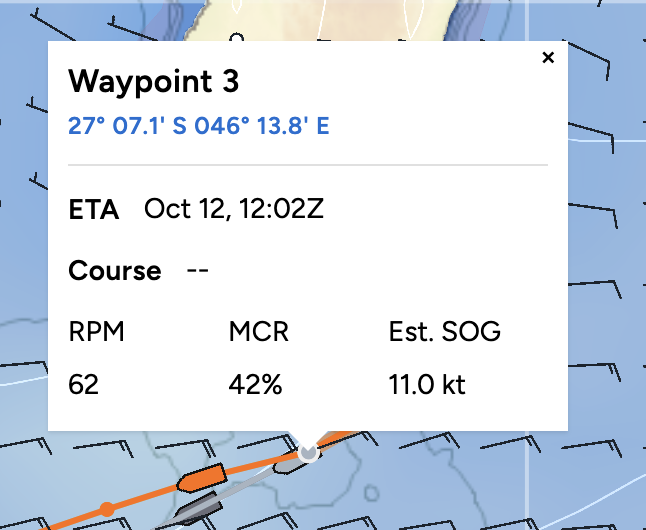
Since we want the simulation to account for the part of the route that you have already sailed, any waypoint that you have already passed by is now shown in grey and is no longer editable.
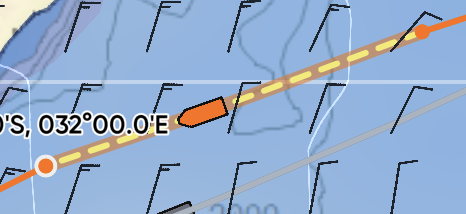
We have also added a new route style that shows edited sections as a yellow dashed line, allowing you to easily see what you’ve changed.
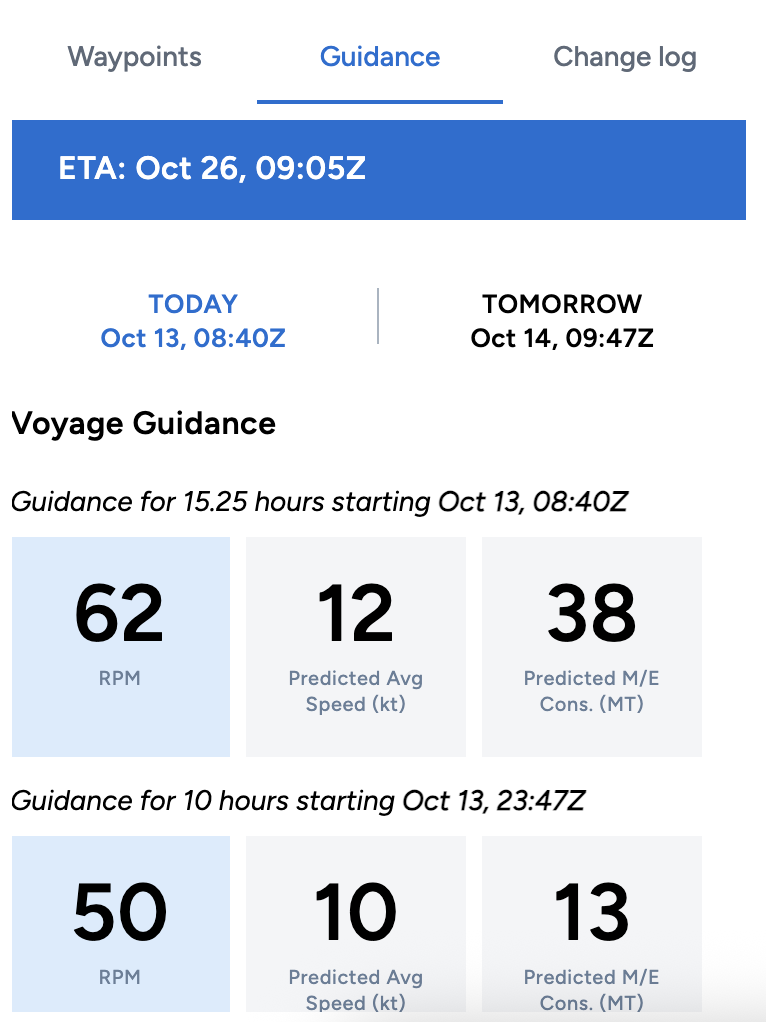
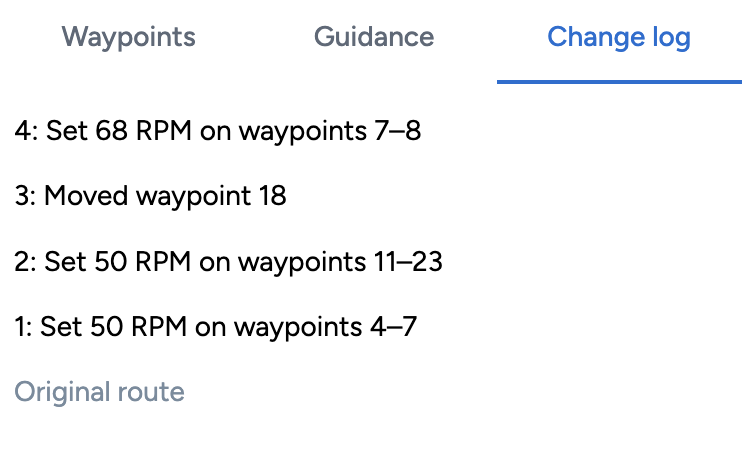
You’ll also notice that the left sidebar now has more information than just the waypoint list. You can now see Guidance, which updates automatically as you make changes, and a Change log which allows you to easily review your edits and undo any or all of them.
Right now, you can only set engine controls as RPMs. We are working towards adding engine power (max continuous rating) and speed controls as well.
We are also taking the next step to simulate routes from the moment you view your voyage, rather than just in the editor. This will ensure that you’re always assessing your voyage against the current weather.